Pages

Category

Techno (122) Gadget (84) Komputer (81) Smartphone (76) Internet (74) Tips dan Trik Komputer (64) Pernak pernik (57) Android (51) Facebook (25) Softwear (22) Computer Virus (20) Game (18) Antivirus (15) Job Application (15) Symbian (15) sex (15) Movie (14) Berita Unik (13) Kesehatan (11) Hardwear (4) BlackBerry (3) Gosip (2) Camfrog (1) Hukum (1) humor (1)
Showing posts with label Softwear. Show all posts

Monday, June 4, 2012

Nokia 500 firmware updated to version v111.020.067

Quick heads-up, Nokia 500 firmware updated to version v111.020.067. Its previous software version was v111.020.059.


You can update your Nokia 500 firmware over OTA (Over-The-Air) or by using Windows PC applications Nokia's Software Updater or Nokia Suite. All Symbian^3 smartphones support UDP (User Data Preservation), but its always good idea to backup all of your personal data before updating the device firmware.
Official Changelog is still unknown!

Notes:- 

It may take some time before the new firmware is available for your region.
Changelog is still unknown, We will update the post as we get it.
If you do have the Nokia 500 and got this update, please help-us in building the changelog.
Powered by ChimoBerry®
READ MORE - Nokia 500 firmware updated to version v111.020.067

Saturday, October 29, 2011

Chimo NgeBlog : 6 Great Windows Phone Mango Features For Business


Microsoft's big Mango update to Windows Phone brought the platform to version 7.5. It has over 500 new features, most aimed at the consumer, but some of these features will also help professionals.


1. Connecting to a hidden SSID: Some people use a hidden SSID under the illusion that it provides some level of security, even though it doesn't. Windows Phone 7 originally wouldn't connect to a hidden Wi-Fi access point at all. Now it will, but there is a caveat. The manufacturer or carrier also has to ensure the phone is running an updated Wi-Fi driver. If you have Mango and still cannot connect to a hidden SSID, contact your carrier. Mango has the capability and Microsoft has done all it can on this front.
2. Threaded email conversations: This is one of those love it or hate it features and some people love it. If you fall into that camp, then do nothing. Mango enables this by default. You can easily turn it off on a per-mailbox basis though.
3. Linked inboxes: If you have to manage multiple mailboxes, you can now see them all at once. Mango keeps the databases separate, but visually it looks like one big mailbox with all of your mail. A reply is sent from the mailbox it was sent to and all preferences are kept separate, so things like how long an email is retained and signatures are on a per-mailbox basis. You can link all, some, or none of your mailboxes, depending on your preferences.
4. Better live tiles: Live tiles in Windows Phone 7 were nice but didn't always function properly, especially third-party tiles. The more you had enabled, the more likely you were to run into problems. Once you had 15, you were maxed out. Additional live tiles were static. Mango upped the limit to 30 live tiles and improved the performance of all of them. They work best when a third-party developer redoes its tile to support multitasking. So feel free to add as many inboxes, people, and weather tiles to your homescreen. Having multiple weather tiles, with apps like WeatherLive, makes traveling easier as you can see the weather conditions at all of your travel destinations at a glance.
5. Contact history: This has been greatly improved. Simply pull up a contact in the people hub, or tap on a person if they are pinned to your homescreen, and swipe to the history section. You will be able to see all of your recent interactions with them via phone, SMS, and email. Tapping on any of those will bring you to that item. You could reply to an email right there, for instance. An additional swipe to the What's New section will show you their social interactions on Twitter and Facebook, including things like @replies to you.
6. Task switching: If you are like most professionals, you are doing multiple things at once. Twitter, email, checking out an Excel document, looking for directions, etc. Now you can seamlessly move through these by pressing and holding the back button. A task window showing thumbnails of recent apps pops up that will allow you to go directly to any of them. This works with all apps, but the experience is faster and more likely to return you to exactly where you were if it has been rewritten to support this feature. If you have ever used or seen the app-switching cards in WebOS, then you know exactly what this looks like.
This barely scratches the surface, but it gives you a hint of some of the improvements in Mango that makes the life of a professional, especially one that travels, a bit easier.
READ MORE - Chimo NgeBlog : 6 Great Windows Phone Mango Features For Business

Saturday, August 13, 2011

Chimo NgeBlog : Download Official Facebook Messenger App for iPhone, iPod and Android

The worlds largest social networking client has realeased a new app for iPhone and Android ‘Facebook Messenger’. You’ll be wondering that it is an update to the existing facebook chat but its not. It is a completely new app designed to cater the needs of instant messaging with auspicious features. WhatsApp and Blackberry Messenger are the best examples that can be related to this app. You can now message your friends or anyone on the contact list using this app with exclusive features.

Facebook reckons that messaging should be easy. They want to give you the ability to hit “Send” and know that the message has reached the person you sent it to. For that purpose, the new Facebook Messenger iPhone app has been released. It simplifies messaging and makes communicating with friends or groups considerably faster. You can use the Messenger app to send messages to your Facebook friends as well as people in your contact list, even if they are not on Facebook.

Messages that you send using the Facebook Messenger iPhone app, are delivered via Notifications and text messages meaning that there is a 99% chance of the recipient actually getting the message. No more “i didn’t get your message” excuses?

The new Facebook Messenger app is actually an extension to Facebook Messages meaning that all of your conversations, be it texts, emails, chats, messages are in one place. You can access the full history of your conversations through mobile or a web browser.

The Messenger iPhone app also allows you to send messages to multiple recipients at the same time, thus making it easier for you to coordinate the evening’s plans with your buddies or stay in touch will all your staff back at the office, through one single medium.

You can also share your location with those you are chatting with using the new Facebook Messenger app, should you do that, all people in the conversation will be able to see your location, and you their’s, on a map. Attaching photos with the messages that you send is an added plus.

The download link for iPhone, iPod Touch and Android devices is given below, though it can be installed on iPad as well but with a hazy magnified version as it is not an iPad native.

Download Facebook Messenger for iPhone or iPod Touch. [Itunes Link]

Download Facebook Messenger for Android. [Android Market Link]

READ MORE - Chimo NgeBlog : Download Official Facebook Messenger App for iPhone, iPod and Android

Wednesday, August 3, 2011

Chimo NgeBlog : 4squick: a new foursquare client for Symbian^3


An update was released yesterday for the official foursquare Symbian app, but the results were, to say the least, underwhelming (the rash of angry one-star app reviews tells the story). Despite a video showing updated features coming to the platform, foursquare says this lackluster version is what Symbian users can expect, at least for the “near future.”

Luckily, a new third-party application for Symbian^3, 4squick, is in development. In just its second preview release, it already covers most of the features of the official app and more features are promised soon. Unlike the official app, it’s built in QT/QML, so it’s light and fast.

According to a post on the 4squick site, the new version (0.7175; released earlier today) brings the following changes from the initial release (which is featured in the video above):

  • App startup time is now faster than ever
  • Public/private check-in
  • Share check-in to Facebook and Twitter
  • Leaderboard
  • User profiles
  • Multiple bug fixes and minor details here, there and everywhere

If you’re on the Symbian^3 platform, give 4squick a try and let us know what you think in the comments. Following yesterday’s disappointing update, it appears 4squick should be just what the doctor ordered for many of you.

READ MORE - Chimo NgeBlog : 4squick: a new foursquare client for Symbian^3

Thursday, July 21, 2011

Chimo NgeBlog : How much faster is the Symbian Anna (Web 7.3) browser?


Nokia's Symbian devices ship with the Web application for browsing the Internet. Up until recently, all Symbian^3 devices, most S60 5th Edition (Symbian^1) devices and some S60 3rd Edition Feature Pack 2 devices shipped with version 7.2 of the Web application.

Symbian Anna, announced in April of this year, introduced version 7.3 of the Web browser. Hence it is commonly referred to as the Symbian Anna browser. It is currently shipping on the Nokia E6 and X7, is now available for a number of S60 5th Edition and S60 3rd Edition Feature Pack 2 devices through firmware updates, and will be available in August for all other Symbian^3 devices (N8, C7, C6-01, E7).

Thanks to an update to the underlying WebKit engine in Web 7.3, web standard support is improved, with initial (basic) support for HTML 5, expanded support for CSS 3, and JavaScript 1.8. Support for International Domain Names (IDNs) and also support for non-ASCII characters such as Arabic or Chinese is also added. Nokia Developer provides a technical overview of Web 7.3 here, which contains additional information about the changes from Web 7.2.

Web 7.3 also comes with a new UI. An address/search bar sits at the top of every page, but is also available, at any time, by tapping or swiping down from the top of the screen, and makes it faster and easier to enter URLs. At the bottom of the screen there are two floating buttons, which give access to navigation ('back') and additional browser functions respectively, making it quicker to navigate between pages and maximising the use of available screen space.

Both the WebKit engine update and the new UI contribute towards an improvement in browser speed in day to day use. Other changes, most notably an improvement in the use of caching, also make a difference. Anyone who has used Web 7.3 will tell you there is a performance improvement, but is it possible to put a figure on this? To find out, I ran some tests to compare page loading times between Web 7.2 and Web 7.3. I used a Nokia C7 and Nokia X7 respectively; although these are different devices, they share the same underlying hardware, so any substantial performance differences will be down to the software, rather than the hardware.


How I tested

The Nokia C7 and X7 were tested over the same WiFi connection (4 Mbps ADSL) from the same location (router about 1 metre away). Each website was loaded in turn by typing the URL into the address bar. This was repeated five times with the highest and lowest times discarded and the remaining times averaged to give the results below. The testing methodology was designed to replicate real world usage conditions, rather than aiming for the fastest possible results, while still maintaining a valid comparison.

The methodology used did allow for the use of caching. This does give Web 7.3 an advantage, as it makes better use of caching than Web 7.2, but the updated WebKit engine also makes a significant contribution. The use of caching does reflect the reality of mobile browsing, where both multiple visits to the same site (e.g. news, search) and multiple pages (with common header and footer elements) on the same site are common.

Browser comparison results

Web comparison chart

From these results, it is possible to draw out a number of conclusions:

  • Web 7.3 loaded pages an average of 23.5% faster than Web 7.2 across the pages tested.
  • There's a significant variation in performance improvements across different websites, ranging from 30% slower to 44% faster.
  • In general, larger web pages (1MB+) show a greater performance improvement than smaller pages (<100kb).

Here are the tabulated results:

Site Nokia C7 Nokia X7 Difference Percentage
google.co.uk 1.6 1.2 -0.4 -26%
news.bbc.co.uk 22.9 13.1 -9.8 -42%
youtube.com5.4 10.9 7.2 -3.7 -33%
en.wikipedia.org 6.5 8.5 +2.0 +30%
allaboutsymbian.com 20.6 14.9 -5.7 -27%
mobile.allaboutsymbian.com 5.4 4.9 -0.6 -10%
global.nytimes.com 33.7 18.7 -14.9 -44%
theregister.co.uk 13.6 9 -4.6 -33%


You should bear in mind that these results should been taken as indicative only. It's not really possible to carry out a fully valid comparison on the live web, giving the dynamic nature of most pages and the constantly changing network and connectivity conditions. Moreover, it is increasingly common to serve up different versions of web pages to different devices and different browser capabilities may dictate whether some resources (e.g. JavaScript) are loaded or not. This may explain the en.wikipedia.org result.

One of the things that the raw numbers do not show is the time when it is possible to start moving (dragging) around a half loaded web page. For both Web 7.2 and Web 7.3, this is usually about two thirds of the way through the page load, but this does vary. Web 7.3 seems to handle this better than Web 7.2, but is hard to measure this effectively, as at least part of this is due to improved page scrolling performance in 7.3 over 7.2.

Conclusion

The results clearly show that Web 7.3 offers faster page loading and rendering times than Web 7.2. Although the testing was done on the X7 and C7, the same should apply on other devices. A small testing sample comparing the N97 mini (upgraded to firmware v30 and Web 7.3) against the Nokia 5230 (using Web 7.2) showed a similar improvement (around 30%).

It is worth pointing out that it would be possible to use a different testing methodology and get a different set of specific results. However, the overall result - a 25% improvement in load times - does feel about right after using Web 7.3 in day to day usage over the last month or so.

READ MORE - Chimo NgeBlog : How much faster is the Symbian Anna (Web 7.3) browser?

Saturday, July 16, 2011

Chimo NgeBlog : Make your own 3D models with Google Sketchup


Computer-based design work doesn't have to be limited to two dimensions for paper or screen presentations. Google Sketchup is a 3D model designer that can be used for all kinds of design work with close links to Google Earth.

Installation is easy. There is an option to install the Google Toolbar for Internet Explorer.

The welcome screen when Sketchup starts for the first time has lots of useful information including links to video tutorials, tips and tricks, the Sketchup blog and, rather impressively, printing a quick reference card.

There are several templates to choose from and measurements can be in either imperial or metric.

Version 8 includes new tools for working with Google Earth. The Add location tool opens a Google Maps window to import more detailed 3D terrain data and colour images.

The Building Maker can use images from aerial photography to make buildings based on photo that can be imported into Sketchup. It is also possible to import buildings from other people. Photo-based textures for buildings can be imported from Google Streetview.

READ MORE - Chimo NgeBlog : Make your own 3D models with Google Sketchup

Friday, July 15, 2011

Chimo NgeBlog : Review: 2Do

Historically, I've always loved both the PalmOS To-Do application and the integration that went on in the Psion Series 3 Agenda application for the to-do lists in that suite. I've strong views on how a To-Do app should function, built around the twin ideas of "speed" and "complexity".

There's the idea that if you have to wait too long to get your ideas into any system or to find them again when you need to reference them, then the system has failed. But at the same time there needs to be complexity, such as categories, priorities and dates due, to make a system that actually works. As often commented in reviews, the built in Symbian application doesn't really cut the mustard. It never did on the first device, the Nokia 7650, and it's still lacking. At least for me.

2Do 2Do

So can 2Do deliver a task manager to satisfy me? The short answer is not yet... but if it wants to, a later version could.

The interface packs in a lot of information, but for me the important section is the ribbon down the left, where I can sort multiple to-do lists on a tab basis. Much like a web browser, it's easy to shift between them with a tap of the finger, and then scroll through everything on the list.

In addition to these category tabs, there are three extra tabs, to show "all" tasks, to show tasks due "today" and tasks that are "done". These are at the very top, and should prove useful as your to-do list builds up on the device, to help zero in on what's needed. That's if, of course, you're putting in everything you need to do into 2Do - any time-management app (and 2Do is arguably in that definition) needs a certain amount of dedication so you know that everything you need is in the application.

2Do 2Do

That's why a fast input system is needed, and 2Do (especially on the keyboard-equipped E7 used for reviewing here) is up for that. Just hit the '+' symbol, tap in the text and you can go from there. Of course, you can add in more details, and thankfully the touch screen buttons (to select which project tab, for example) means it doesn't take much beyond the text input to get some colour around the content.

I also like that there are different types of entry - the straightforward 'to-do' item is the most popular one, but you also have 'checklist' (a simple checkbox list that shows up as one line, but expands out to be as long as is needed) and 'project' (which is essentially a to-do list embedded inside your to-do list, although you can't add another project inside a project, all you get is one level of nesting).

2do

In the bundle of details you can add, you have the option to match up a to-do item with an existing contact, but this seems to slow the app to a crawl and doesn't talk directly to the built in address book on the phone (the E7 here).

That's probably one of the biggest flaws in 2Do, the lack of integration to Symbian. 2Do essentially creates its own space, living in the application on the phone and not talking to Contacts, Calendar or even the Symbian alarm server. Given that this app has been running on other platforms for some time, this would probably need a ground-up redesign to the code, as opposed to the polished port that is on offer here.

Something else that is not offered (yet?) by 2Do is a Sync option. On the iOS version, for example, this allows syncing to MobileMe, Outlook, Toodledo or iCal. Sync is very important on a mobile device because the data needs to come out, not only to cover for a lost or stolen smartphone but also to give confidence that if things don't go well then you can move on and take the hard-entered data to another platform. Without these, 2Do (and it's free cousin, 2Do Lite) are less attractive to me.

2Do 2Do

It's disappointing, because I want to love 2Do. The interface has everything I would want in a to-do application, with just enough to fiddle with in the settings to keep me happy but not make it scary for someone else. There's a certain style to the graphics and spot colours, and it makes you want to use it. If a To-do list could be "sexy" then this is the quiet minx in the corner.

Yet it's missing a few things upstairs that would make it look like a PIM Veronica Lake. The lack of sync is a huge mis-step, and I'm surprised they launched without it. More awkward is the occasional crash and slowing down of the code - all things that can be tweaked over time if there is interest and a strong user base. I could live with either the missing sync or the stability issues and wait it out, but not both. So I'll watch out for updates to 2Do, and come to terms that yet again I still don't have anything as downright useful as Psion Agenda in a modern device.

Tags: ,
READ MORE - Chimo NgeBlog : Review: 2Do

Thursday, July 14, 2011

Chimo NgeBlog : Review: ShutterPro Premium

Implemented in Qt and using up a fair amount of RAM, ShutterPro Premium gets off to a bad start by taking a whopping 12 seconds from tapping its icon to being ready to take a basic shot. Add another five seconds or so if you want to scroll to and apply an effect. With a little setup as well, you can easily take up to thirty seconds to get your first proper photo - let's hope the subject isn't a person or animal, else it will long since have moved on.

But I'm being a little unfair - ShutterPro Premium's aim is to provide interesting effects and tools for those who want to take their camera phone photography in a new direction - and who have the patience and time available for a not inconsiderable degree of trial and error.

ShutterPro

The interface is clear enough and quite well thought out - a shortcuts bar down the right containing every major function, remeniscent of the S60 camera interface from the N95 era, with mock LEDs where needed to indicate which function is on or off. Some are mutually exclusive, some can be turned on in combination.

Each function can be configured through a 'tools' icon at bottom left, I'll list those available below. Although a big red shutter button is presented on-screen, the hardware shutter button on the phone is also recognised, so you've effectively got a choice of which to use.

Top marks then so far for ease of use and an intuitive interface. Working through the camera functions, we have:

  • Exposure (variable up or down 2 stops in 0.3 stop intervals)
  • Flash (as you'd expect: auto, on, off, anti-red eye)
  • Program (like 'scenes' in the regular Camera interface)
  • White balance (again, as per Camera's options)
  • Iso (again, as per Camera)
  • Face recognition (again, as per Camera)
  • Histogram (turns on overall or RGB real time histograms of the image currently in the viewfinder - not that useful to amateurs, but fun to see in action, and shows what the graphics chip inside these new phones can do)
  • Tilt shift (crudely simulates the famous 'make a scene look like a miniature' photographic effect by blurring the top and bottom of the image, with variable results, as we'll see later)

    ShutterPro
  • LOMO (simulates a well known photographic effect originating with cheap Russian cameras. It's a nice effect, but not that usable in real life)
  • Anaglyph (helps you produce red and green images that can be combined into a 3D image for someone wearing the special/famous glasses)
  • HDR (High Dynamic Range, several photos are taken and - in theory - digitally combined into one image that has high contrast in both areas of bright and dark detail. In practice, it didn't work very well, for me)
  • Antishake (as it sounds, presumably using the accelerometer to take a snap when the phone is at its stillest)
  • Delay (as per the built-in Camera application)
  • Cannon (in theory, a 'burst' mode, for capturing quick fire sequences of photos. In practice, at only one per second at best, there's not that much benefit - burst mode needs to be down below half a second per shot if it's to be of any real use)
  • Monochrome (as it sounds)

ShutterPro

In each case there's a complementary settings panel to tweak the parameters, as needed.

A long list above, but taking away the functions which are all implemented in Camera, we're essentially left with a much smaller bunch of special effects - so let's try them out. In each case below, click on the photo to download the original or enlarge more in your browser (as appropriate):

Tilt shift

From Wikipedia:

"Tilt-shift photography" refers to the use of camera movements on small- and medium-format cameras, and sometimes specifically refers to the use of tilt for selective focus, often for simulating a miniature scene. Sometimes the term is used when the shallow depth of field is simulated with digital postprocessing; the name may derive from the tilt-shift lens normally required when the effect is produced optically.

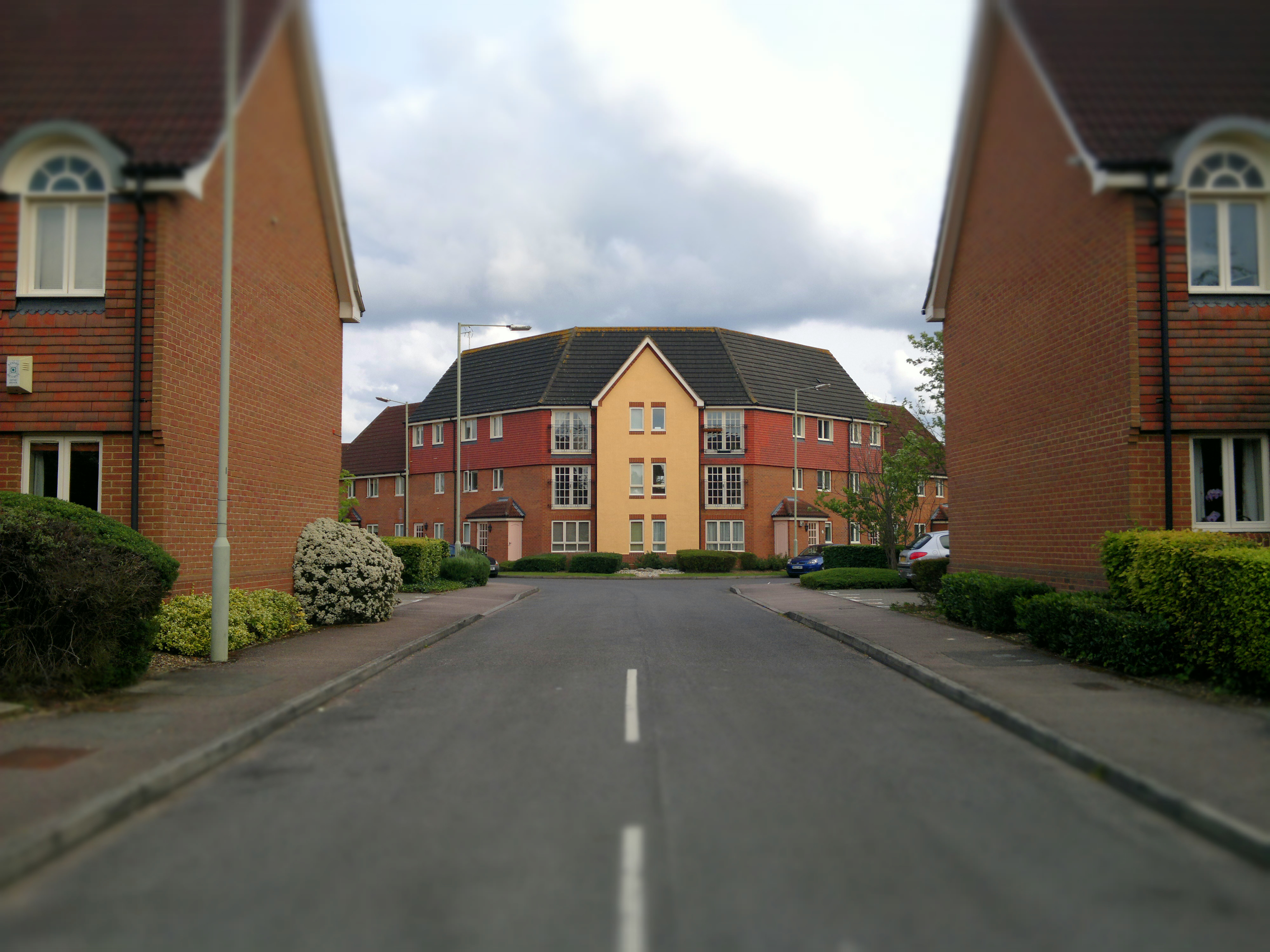
What's not covered by the definition is that for the effect to be appropriate or useful, you have to pick exactly the right subject with exactly the right combination of surroundings, foreground and background. For example, here's a random street scene, snapped with ShutterPro's 'Tilt Shift' - the house in the middle looks a little bit artificial, but the vertical surroundings ruin any effect:

Tilt shift sample, click to download or enlarge

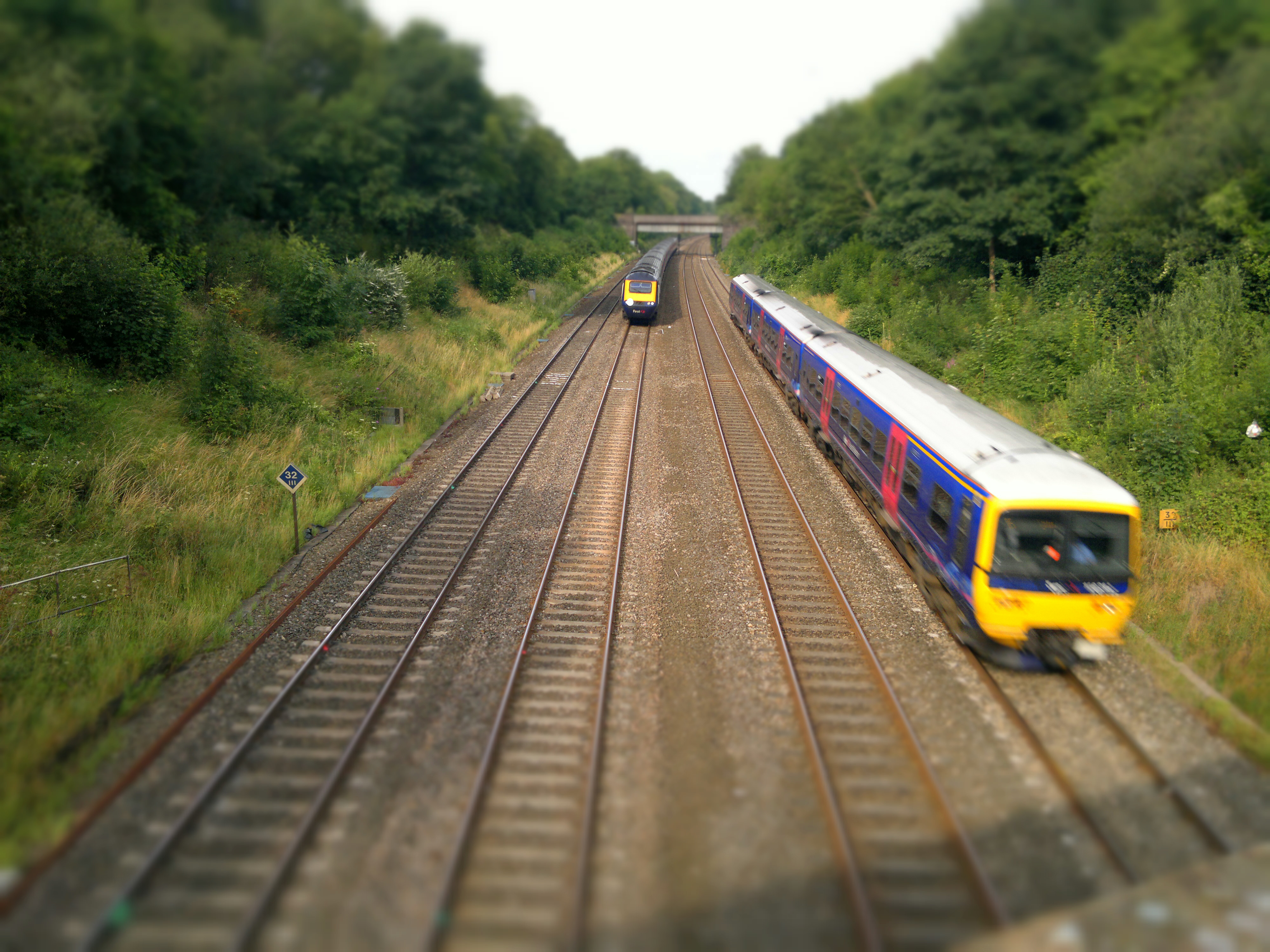
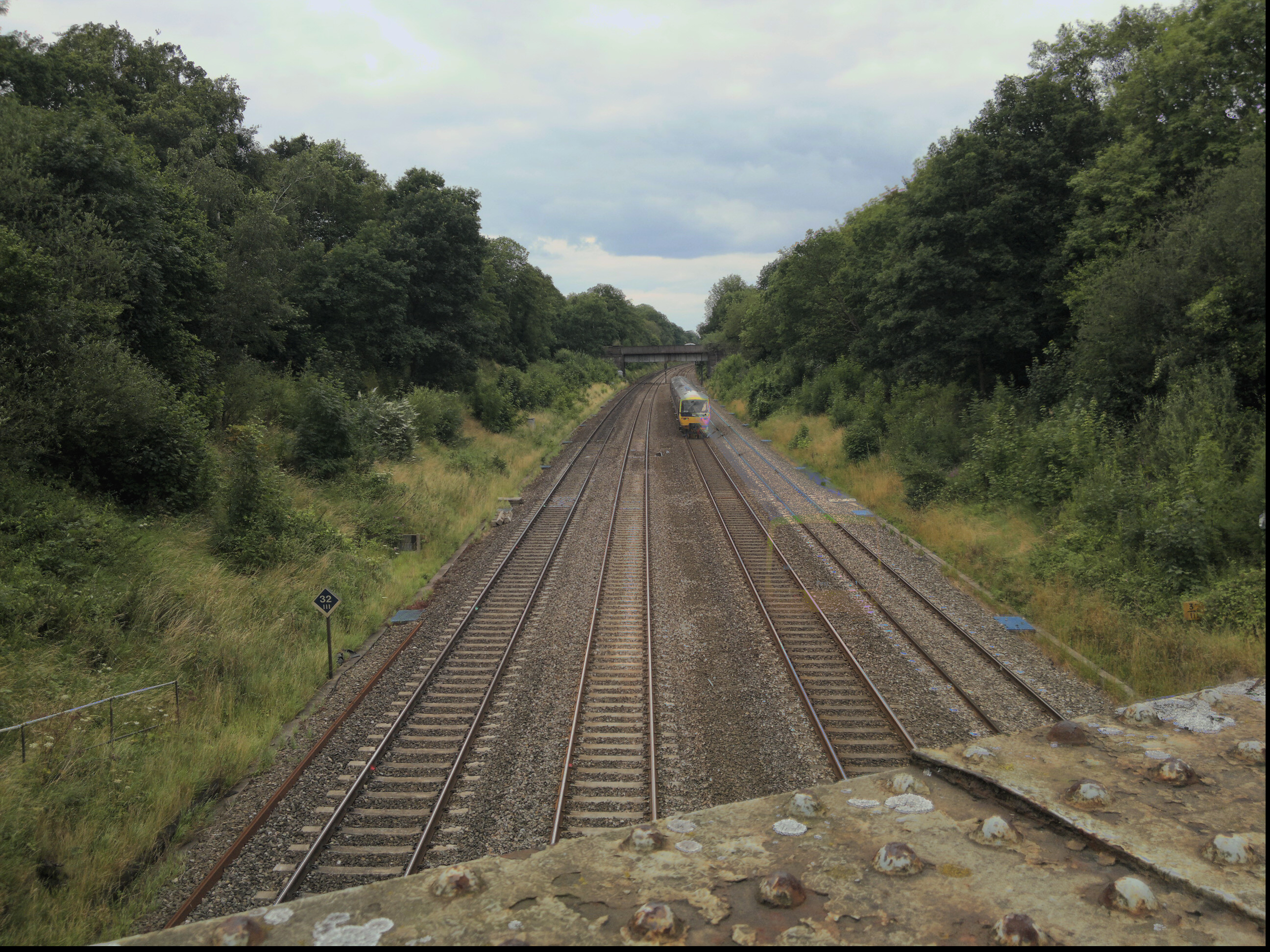
What's needed is a subject in the centre of frame that needs downsizing, with no tell tale clues either side of it, plus detail in the bottom third of the frame (i.e. foreground) and also in the top third (background). Trains are an ideal subject, especially because they're often found as toys or models, making a miniature scene believable. Here's my second attempt, shooting off a bridge:

Tilt shift sample, click to download or enlarge

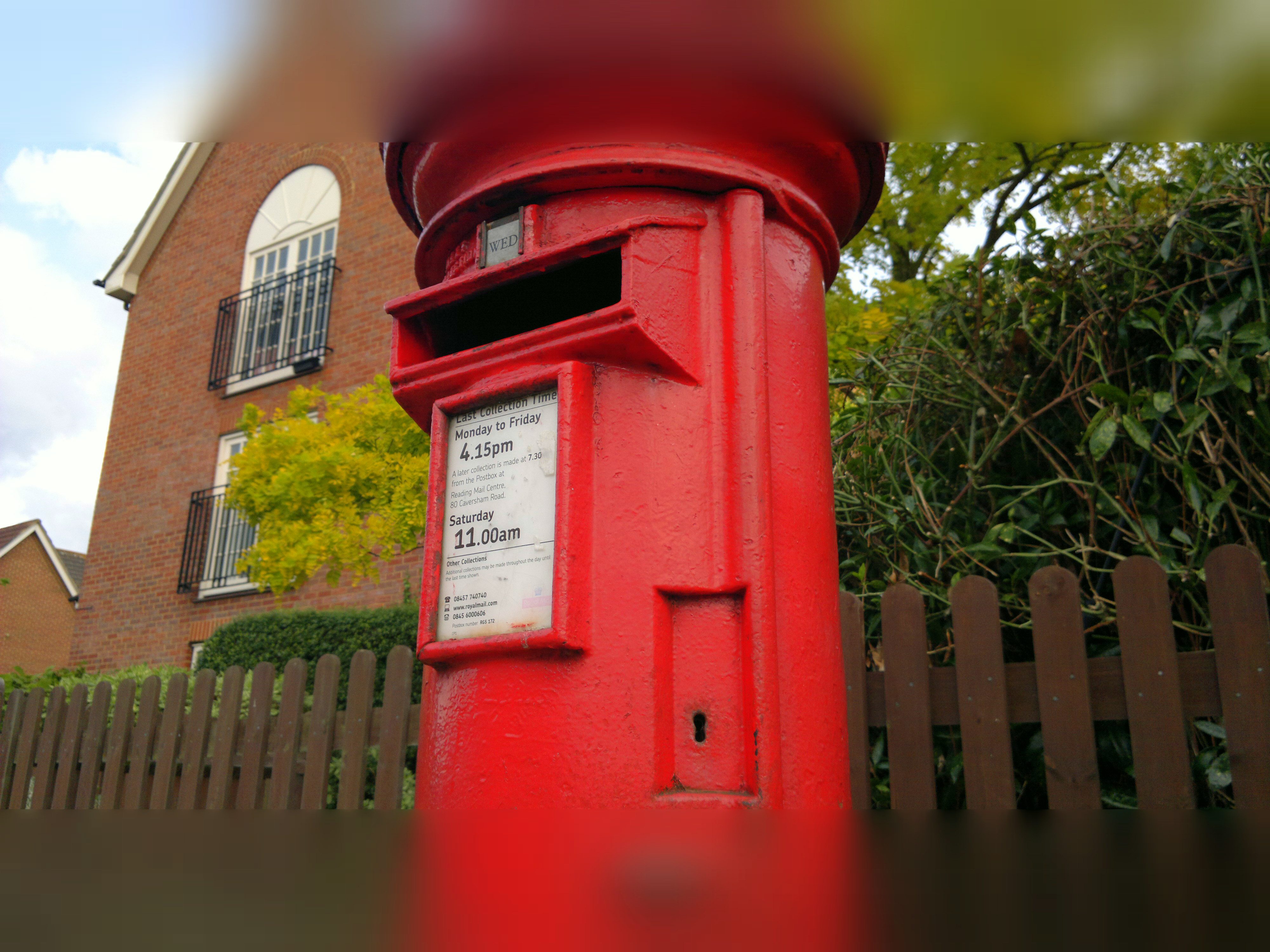
Much better. I said the effect was 'crude' above because the artificial blurring doesn't fade smoothly into the crisp portion but cuts in abruptly. It's not that noticeable in a photo like the one above, but snap something at random and the effect is exposed:

Tilt shift sample, click to download or enlarge

By the way, I was lying about the train shot being my second tilt shift attempt. It was actually about my tenth - there's a huge degree of trial and error involved - but then that's part of the fun of messing with photo effects, i.e. you're not trying to capture a moment, you're perfecting your 'art'!

LOMO

Somewhat easier to achieve, LOMO is a particular fish-eye style effect with "unusual saturation and colour". Think of it as "artistically cheap and nasty"! No setup needed, you just point and shoot. Here's an example:

LOMO sample, click to download or enlarge

It's the sort of modern, arty effect, you might see on the cover page for a magazine feature, but I'm struggling to think of other uses for LOMO in your life. Perhaps as part of a poster, or in the banner of a web page or blog?

Anaglyph

The idea here is to create the typical red/blue(ish) images which combine to produce a 3D image when viewed with traditional 3D glasses. You shoot the first image and then this is put up as a semi-transparent overlay with an offset applied - the idea is to help you line up how far you have to move in order to shoot the second shot. Again there's trial and error, but with a little patience it does work - here's proof:

3D sample, click to download or enlarge

Of course, if you haven't got any glasses to hand, then I'm just impressing you with a messed up red/blue blurry mess.....! As with the movie industry, 3D is something of a gimmick - but is still something that's fun to play with.

HDR

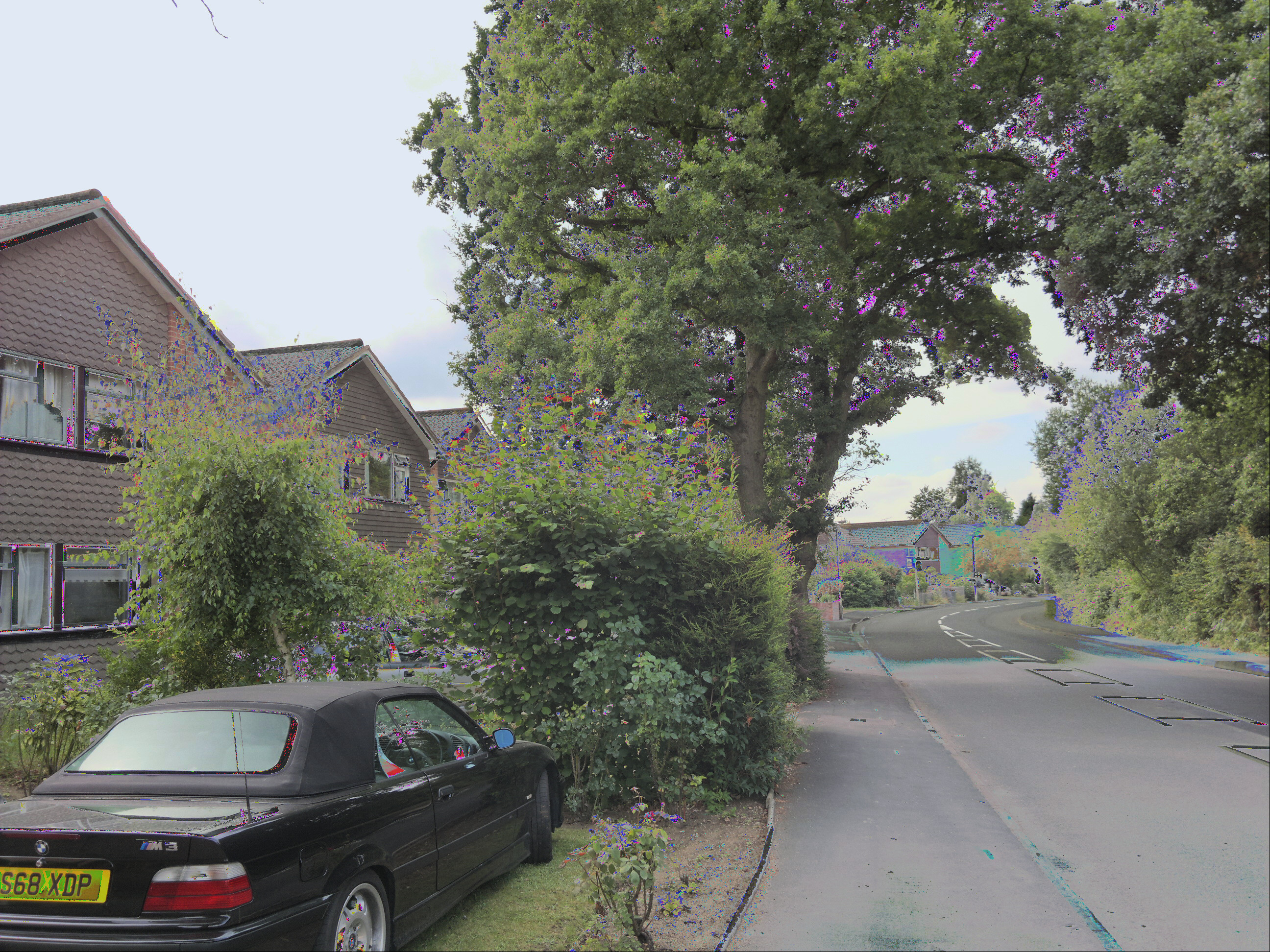
We've seen an attempt at High Dynamic Range photos before on Symbian, you'll remember. The idea is to take three photos at different exposures and then combine their best bits to eliminate areas which are over or under-exposed. In practice this is tricky to do, not least because 99% of user photos will be taken without a tripod and so there will some movement of the phone camera between frames (taken with about a second between them). Plus your subjects may well move as well. In the case of trees and flowers, they'll sway slightly in the breeze.

The result, typically, is as bad as this, one of my first attempts at HDR with ShutterPro, showing artefacts from both phone and foliage movement:

HDR sample, click to download or enlarge

Lots of artefacts, then. What's needed is to keep the phone absolutely still and to find a subject or situation which isn't going to change. Heading out with my phone tripod, I snapped this:

HDR sample, click to download or enlarge

Note that the HDR part has worked, in that the dark railway verges and the bright overcast sky are both well catered for. And, to give you an idea of the time between HDR samples, you can see how far the train has moved from frame to frame....!

However, it's worth noting that part of the charm of a realistic photo is that there are big variances in contrast, just as you'd see them in real life. HDR in ShutterPro's implementation, at least, produces workable images that are a little too 'flat' in terms of light and dark. I know this was partly the aim of HDR - to cater for extremes - and in the app's defense, it's probably optimised for sunshine, something I couldn't arrange this week in the UK!

Interface polish

Not mentioned so far but important in the interface is the chance to pick from different parameters after shooting each photo. In the case of the Tilt Shift effect, for example, you can tweak the horizontal line for the effect's centre and can adjust how large the blurred top and bottom sections are. For HDR photos, you get three different photo combinations to choose from. In each case, pick and tweak as needed and then tap on the tick icon to accept. Your final image is then packaged up and you're offered the chance to save it or delete it in disgust(!)

There's an extra option, actually, in a Facebook button which sits on every 'Save' page. I tried uploading several images using this system (I was prompted to log in - successfully - to Facebook on the first attempt) but nothing actually appeared in my Facebook Photos album system, leaving me somewhat perplexed. Maybe a bug, at the very least something for the developers to look into.

Time, memory and resolution matters

I've mentioned above the initial delay when going into ShutterPro Premium. It's really not for casual, instant use! In addition, the application seems to use crazy amounts of RAM - over half the times I tried to launch it, I got a Qt error warning me that RAM was low and that ShutterPro might be unstable - even with nothing else major running on my N8. I realise that 12 megapixel images are being manipulated and that this will require tens of MB of RAM, but I still struggle with the idea that the N8 will physically run out of RAM. Surely there's extra optimisation possible within ShutterPro?

As things stand, you have to shut everything else down before starting ShutterPro, adding further to the time needed to get it going.

I mentioned resolution above - most ShutterPro operations work at the full native resolution of your phone - 12 megapixels in the N8's case, 8 megapixels in most other cases. However, processing time constraints limit the Anaglyph and HDR effects to 5 megapixels. Still plenty, of course, but worth noting.

Also worth noting is that all of the effects above were with default settings - the only things I fiddled with were the tilt shift baselines, to match my subject. Most of the advanced settings in ShutterPro are beyond me - which means they'll probably be beyond most other users too. If you understand them all then go ahead, knock yourself out and have fun!

_________________

There are two questions to answer here. One, is ShutterPro Premium worth £3 of your money in the Ovi Store? Absolutely - as the owner of an expensive smartphone, this is only a few pounds more and will give you a lot of fun trying the effects out and, who knows, you may stumble across a shot/effect that works out stunning and gives you a lot of satisfaction? There's also a 'Lite' version in the store, for free, letting you try out the interface and standard functions, though only the premium version has the effects reviewed above.

So yes, BLStream has put a lot of time and effort into the application so far and it deserves some recompense by way of sales. On all Symbian^3/Anna devices, not just the N8, since I can't see why (a few settings aside) ShutterPro wouldn't work with EDoF cameras too.

The second question is whether ShutterPro Premium is good enough to stick around on my personal Nokia N8? Reluctantly, no. The launch time, processing time and RAM restrictions all mean that it would get in the way too much, when compared to the far faster, more efficient and more nimble built-in Camera application. If I could think of a real world use for its effects, other than just 'fun' then maybe I'd change my mind - but ultimately, despite its mirroring of all the 'serious' camera parameters from Nokia's version, ShutterPro Premium boils down to its effects and there's just not a lot of call for tilt shift, LOMO or 3D in my world. HDR would be great if it was foolproof, but I'm sorry, I don't carry my tripod everywhere with me.

A mixed bag then. Hopefully, after numerous examples and 2100 words, you've already decided whether ShutterPro Premium is for you.

Buy Link | Download / Information Link

READ MORE - Chimo NgeBlog : Review: ShutterPro Premium

Saturday, July 9, 2011

Android Phones Get New McAfee Security Option

Having security software on a PC or Mac is required today to help ensure your computer is safe. You cannot assume that if you stay away from certain websites, such as some file sharing services or porn sites, that your PC will remain free from attacks. Sites themselves get hacked and are turned into malware distribution centers, infecting their unsuspecting audience. The situation with smartphones is different. Do you need similar protections on your phone?


McAfee has released a security suite designed for Android phones, and it offers the ability to backup and restore data, remote locking capabilities, an audible alarm to help find a lost device, remote device wipe, real-time anti-malware protection, safe Web searching, and remote management.

Some of these features are standard fare for other platforms. Windows Phone 7 and iOS, for example, support remote wiping and support for finding a lost device through a Web portal.

The full-time antivirus software is a different story. Focused malware attacks on a smartphone platform are pretty rare--with the exception of Android. In addition to distributing over 100,000 apps, the Android Market has also been known to distribute malware itself. The most recent example is a strategy guide for Angry Birds that frustrated users could download to get tips on how to crack certain levels.

Another feature that is interesting is the safe Web searching. McAfee uses their SiteAdvisor technology to alert users to sites that are known for phishing attacks, identity theft, credit card fraud, and more. It does this by providing color-coded ratings next to search results. This is similar to how it works in desktop versions of safe searching technology.

IT managers must perform a detailed ROI analysis before transitioning to the cloud.

Discover how to cost out the cloud.

The key question: Is this worth the cost? The financial cost isn't the only consideration--there is a performance cost as well. The full suite, called McAfee Mobile Security, costs $29.99 in the Market and is good for one year, so it is less than $3 per month. A lighter program called WaveSecure is $19.99 per year and lacks the antivirus and safe Web search features.

The performance cost is what you pay to run this software all of the time. You don't get something for nothing. Getting the SiteAdvisor rankings costs a bit of speed and some bandwidth. Antivirus programs on the PC have long been accused of sapping performance and a resource-constrained device like a smartphone won't fare any better.

The benefits cannot be ignored though. Like anything else, you have to weigh the pros and cons. Both versions provide a seven-day trial period before you have to fork over the cash. If one of these interests you, give them a thorough test drive. More detailed information can be found here. For IT departments considering installing mobile security products, playing with a relatively cheap client can be a great way to evaluate how the device performs.
Tags: , , , , , , , , , , , , , , , , , , , , , , , , , , , , , , , , , , , , , , , , , , , , , , , , , , , , , , , , , , , , , , , , , , , , , , , , , , , , , , , , , , , , , , , , , , , , , , , , , ,
READ MORE - Android Phones Get New McAfee Security Option

Wednesday, July 6, 2011

Foursquare app for Windows Phone gets a facelift


Foursquare was one of our favourite apps for Windows Phone when the platform launched last fall, but it was still clung pretty closely to the standard Metro user interface. Over the long weekend, Foursquare changed things up a bit. You can still find nearby places and specials, see where your friends are, search for spots by category, and check-in (with pictures from the camera, even). Foursquare boasts that there are “a ton of new features” but fails to mention what exactly they are.

Foursquare has led the way for the whole check-in app genre. They’ve tried to turn going to your usual hangouts into a kind of game, which rewards you points, per check-in based on factors like when was the last time you were there, if you’re checking in with friends, and awarding mayorships to dedicated venue visitors. Businesses can use the social network to advertise specials, which is still a new field, but one that people seem to be interested in. Google is heavily invested in location-based advertising for obvious reasons, but I have no doubt that Foursquare will play an instrumental role in how the experience is shaped in the future.

You can grab the new version of the app for Windows Phone over here in the Marketplace. Be sure to let us know in the comments if you spot anything particularly new.

READ MORE - Foursquare app for Windows Phone gets a facelift

Monday, July 4, 2011

Double Your Smartphone Battery Life


One of the problems for the great mobile revolution and ubiquitous computing has been battery life. A smartphone struggles to make it through just one day and the introduction of even more powerful processors may make life worse.

So a clever invention by a graduate student that could double the batter life of a smartphone sounds like a winner. Scientific American reports on the invention by a Duke University researcher, Justin Manweiler, a computer science graduate student at Duke’s Pratt School of Engineering.

Mobile devices today waste a lot of energy searching for a WiFi signal and then staying connected while overtaxed wireless networks ferry data to and from them. SleepWell allows a mobile device to slip into power-saving mode while it is waiting its turn to connect. This is no small matter, particularly when scores of caffeine-craving technophiles gather at the local Starbucks to take advantage of the free wireless access. Manweiler likens the competition for WiFi to big-city traffic. When workers leave their offices en masse at the end of the day, they clog up the roads and rail lines. If these workers staggered the times they left, the transit systems would be less crowded, and it would take less time to get home. Similarly, if mobile devices took their turn accessing WiFi access points, data would move faster and these devices would use less energy.

SleepWell is installed on the devices that create a WiFi network infrastructure, including WiFi routers and access points. As such, it is designed so that any mobile device—whether it uses Apple OS X, Google Android, Windows or some other platform—can take advantage of it.

The sleep periods differ from sleep mode on most laptops that kick in after a few minutes. SleepWell enables is more like power-napping, short sleep periods many times a second.

In trials, reports the magazine, battery life was in some cases doubled.

READ MORE - Double Your Smartphone Battery Life

Foursquare now available for Windows Phone 7 phones

oursquare Blog announced about the release of new Foursquare app for Microsoft’s new operating system Windows Phone 7.

“We want anyone, anywhere, on any platform, to be able to check in with foursquare,” the Blog said.

Foursquare collaborated with Microsoft to develop the app entirely on their open API v2. The new version really speaks to the distinctive capabilities of Windows Phone, while maintaining the foursquare features users know and love.

It is possible to download official foursquare Windows Phone 7 app from the Windows Phone Marketplace.

READ MORE - Foursquare now available for Windows Phone 7 phones

Wednesday, June 29, 2011

Top 5 mobile IM clients for Nokia Symbian^3 smartphones

We use our smartphones for many different things, from taking photos to playing games, but probably the common thread for all of us is messaging. Let's take a look at our top five instant messaging clients for Symbian^3 users.
The good old fashioned SMS is still a pilllar of mobile phone use around the world, but on smartphones instant messaging (IM) clients have become highly popular, and it's easy to see why. Unlike text messaging, IM chats happen in real time, whether you're in the next room or another country.
And with mobile data allowances an increasingly standard part of our network packages, and Wi-Fi there as a backup anyway, nattering away via IM is often effectively free. So what are the best packages out there for Nokia Symbian^3 users? Here's our five favourites:
IM for Nokia
Before you go looking elsewhere, why not give Nokia's own messaging client a whirl? It'll happily play nice with all the leading IM services around, including Google Talk, Windows Live Messenger, Yahoo!, MySpace and Ovi Chat, and lets you manage your status and availability across several systems at once. But its biggest advantage over rival clients is that it integrates your contacts' IM status right into your phone's contact list, so you can check out the latest updates just by browsing your phone book.
Skype
Its claim to fame is as an internet voice calling service, but Skype has built an equally loyal following as a messaging platform too. With hundreds of millions of users already in place, chances are you've already got a fairly comprehensive network of contacts ready and waiting, and there's the added bonus of being able to use Skype as a paid SMS and voice call provider to non-Skype numbers too.
WhatsApp
A fast-growing service that's proven highly popular on several smartphone platforms, WhatsApp delivers all the convenience of traditional SMS with plenty of benefits on top. It's free for a full year, for starters, and allows you to send files, photos, videos and of course basic text chatter to your connections, either individually or even as groups.
Nimbuzz
If you're an established IM user with a presence on several platforms, Nimbuzz is an ideal way to bring them all together. It allows you to import contacts from MSN, Yahoo!, GoogleTalk, Facebook, AIM, ICQ and MySpace among others, and you can make free calls, use custom avatars and backgrounds and build your network quickly and easily thanks to friend suggestions.
eBuddy
It's been around for a while, and not surprisingly eBuddy rolls in compatibility with all the main IM players as standard. In particular, though, it's a real favourite for Nokia users. As of April eBuddy hit the notable milestone of 10 million downloads from the Ovi Store, and it's easy to see why: eBuddy reckons it's compatible with no fewer than 900 different Nokia models!
What's your IM client of choice? Is it one of the popular choices mentioned here, or have we left out a rival service that deserves a mention? Let us know in the Comments!
READ MORE - Top 5 mobile IM clients for Nokia Symbian^3 smartphones

Tuesday, June 28, 2011

5 Android apps that should be on every smartphone

I may be hard on Google for the mess that it has created with Android Honeycomb tablets, but on the smartphone front Android is still going strong. That is with good reason, Android phones are as good as anything on the market, and made even better with the right apps installed. No matter if you are a fan of HTC Sense phones with its attractive UI, Samsung TouchWiz phones, or stock Android phones, there are five apps that should be installed on every Android phone to make them better.

LauncherPro. The Android launcher is attractive but very basic in design and function, and LauncherPro takes any Android phone to the next level. This alternative launcher adds a customizable dock bar for launching apps, but that is only a fraction of the functionality it brings to the home screen. Speaking of home screens, LauncherPro brings a totally revamped home screen environment, with a new app drawer for launching apps included. The app also makes a suite of home screen widgets available that can be added as desired to install a raft of new functionality on the home screens as desired. These widgets can be customized to the heart’s desire, and are skinnable to make them look just right. The Gmail widget alone is worth the price of LauncherPro. There are other alternative launchers but none match LauncherPro for features. You must have the Pro version to unlock all the features including the widgets. $3.49.
Beautiful Widgets. The strength of Android is the ability to make the interface very personal, and Beautiful Widgets is the daddy of them all. The app installs a bunch of home screen widgets of varying sizes that make it a breeze to tailor the look and feel of the screens to the user’s personal taste. The widgets include HTC Sense look-alikes for those who like the clock and weather screens on those devices, but that’s just for starters. There are hundreds of clock, weather and battery meter skins for download within Beautiful Widgets that can make the phone screen look any way you want. The various widgets can be combined in any number of ways to fit your style. There is even a live wallpaper that changes the screen background to match the time of day and local weather conditions. €1.99.
Amazon MP3. This free app has morphed from a simple way to get free music on Android phones into a full-fledged cloud music playing system. The free MP3 of the day is still there, along with easy access to cheap album deals in the Amazon music store, but with the launch of the Cloud Drive the Amazon MP3 app has evolved into a must-have for Android phone owners. Once you upload your music library to the Amazon Cloud, streaming it to any Android device (and computer) is a simple tap on the screen. Purchased (and free) music is automatically put into your Cloud Drive for instant access on the phone. The app also plays music store locally on the phone for those not into the whole cloud thing. Free.
Dolphin Browser HD. The web browsers installed on Android phones are pretty good, but they don’t hold a candle to the Dolphin Browser HD. This browser is as fast as can be for rendering web pages in perfect form, and has a unique touch system for improved web browsing. The bookmark system is as sophisticated as that on any desktop browser, yet is as easy to operate as tapping on the screen. Dolphin also has a plug-in system that adds tons of functionality to the browser as desired. There is a configurable gesture system in Dolphin that lets you trigger actions by drawing on the screen with a fingertip, a tremendously useful feature. There is a free version that is ad-supported in the settings menus, or a $4.99 version without ads.
Multicon Widget. Phone screens can only hold so much information due to the small size, and sometimes you need to put more icons for apps than will fit. The free Multicon widget lets you put up to 4 app icons in the space normally occupied by one, which greatly extends the screen real estate. The four icon slots are not restricted to apps, you can put shortcuts for actions and special functions like Wi-Fi toggle in the slots. This is the most useful widget for a free app.
These five Android apps add incredible value to the smartphone, but they are not the only good apps in the Android Market. What are your must-have apps for Android?
READ MORE - 5 Android apps that should be on every smartphone

Zipcar Android app sheds the beta, late-night driverless honking to increase

It may have happened to you before -- you're walking down the street somewhere on a balmy summer night when, out of nowhere, the empty car next to you honks its horn and you spit your skeleton right outta that purty mouth. Yeah, you have Zipcar to blame for that. Ever since the introduction of its iOS app back in 2009, users have been able to reserve a car on-the-go, and freak out unwitting pedestrians. Now Android users get to join the party -- officially. While the apps' market availability is nothing new, the recent shucking of its beta tag and some UI enhancements make this coming out party noteworthy. There's a good reason Time Magazine named it one of the "50 best iPhone Apps in 2011." Also, wireless honking -- in case you forgot.
READ MORE - Zipcar Android app sheds the beta, late-night driverless honking to increase